Collect
Collect Claude Code session activity and send it to Autographical.
Data collected
- Prompt submissions — when you send a prompt
- Turn completions — when Claude returns a response
- Session details — session transcript, title, timestamps, git branch, and working directory
Installation
CLI interactive
/plugin marketplace add autographical/claude-code-plugins
/plugin install autographical-collect@autographical
/plugin
# Plugins -> Installed -> autographical-collect -> Configure options
CLI headless
export AUTOGRAPHICAL_INGEST_TOKEN=...
claude plugin marketplace add "autographical/claude-code-plugins"
claude plugin install "autographical-collect@autographical"
claude -p "..."
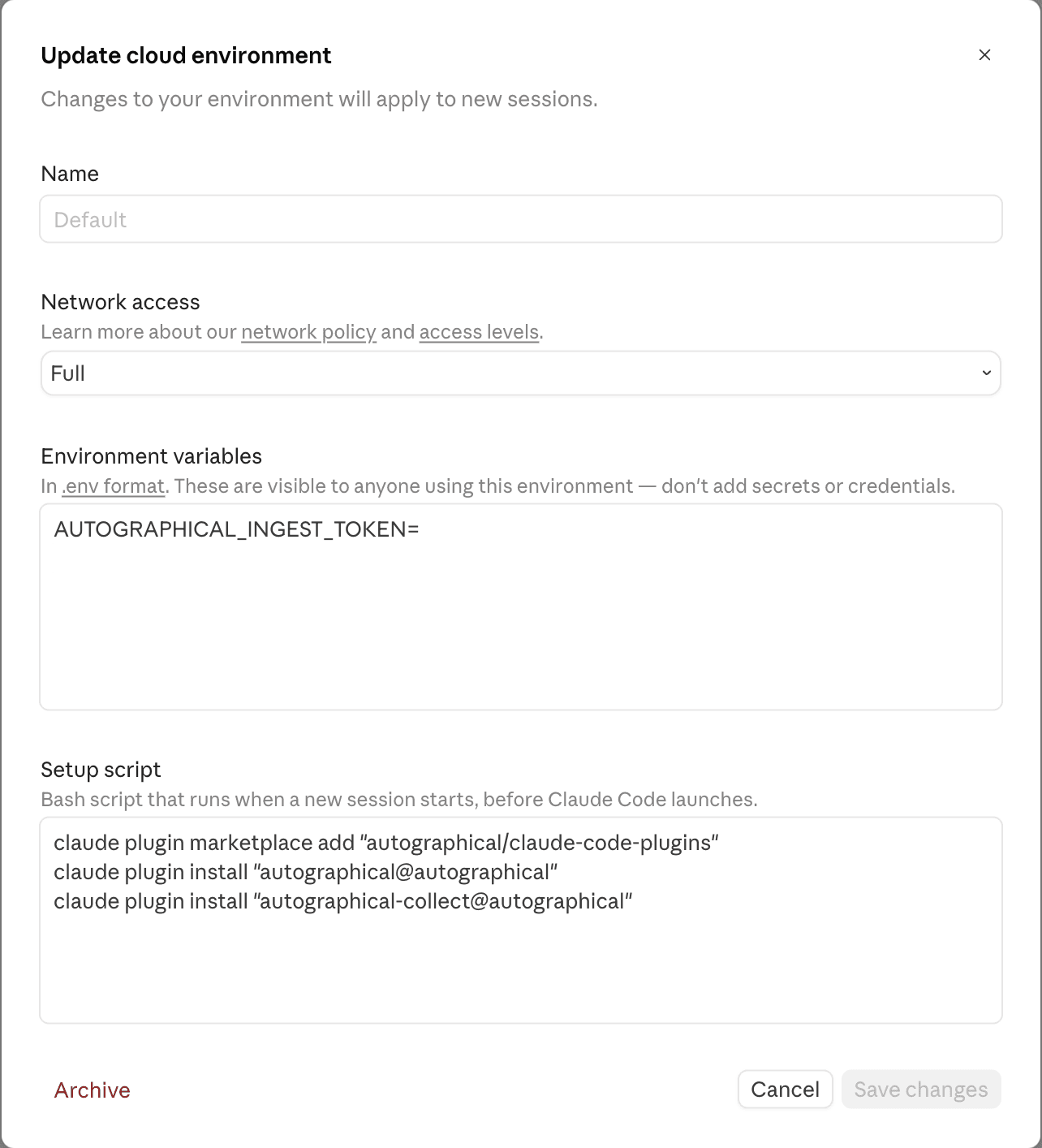
Remote/cloud environments
For use in Claude Code Desktop with remote/cloud environment, and Claude Code Web.
Configure the environment with:
- Environment variables
AUTOGRAPHICAL_INGEST_TOKEN=... - Setup script
claude plugin marketplace add "autographical/claude-code-plugins"
claude plugin install "autographical@autographical"
claude plugin install "autographical-collect@autographical"
Configuration
Ingest token
The plugin needs an ingest token to authenticate with Autographical. Create one in your Autographical user settings .
The token is resolved from the first available source:
- Claude Code plugin config — set via the
/plugininteractive UI. Managed by Claude Code, and stored securely in your system keychain. - Environment variable —
AUTOGRAPHICAL_INGEST_TOKEN - Config file —
ingestTokenin~/.config/autographical/config.json
Config file example:
{
  "ingestUrl": "https://ingest.autographical.ai",
  "ingestToken": "your-token"
}
Ingest URL
Configure an ingest URL based on your Autographical deployment: Cloud, Cloud alternate data region, or self-hosted.
Defaults to Autographical Cloud US data region (https://ingest.autographical.ai).
Override with:
AUTOGRAPHICAL_INGEST_URLenvironment variableingestUrlin~/.config/autographical/config.json
Last updated on